Back in 2025, vibe coding changed how software gets built. With modern AI tools, teams can go from idea to working prototype in days or even hours. Features appear quickly, integrations come together effortlessly, and demos look impressive long before traditional development would reach the same level of maturity.
But there’s a catch: AI is great at producing code that technically works, but is unreadable and extremely hard to debug. Beneath the surface, there are structural issues that make production launches risky: duplicated logic, oversized files, inconsistent patterns, and a lack of architectural intent.
Many engineers refer to this as a “productivity tax” – the quiet cost of using AI tools that promise speed but often create extra cleanup work and long-term friction instead. The Developer Survey by Stackoverflow showed that 66% developers run into this hidden cost when working with AI-assisted coding tools.
This article breaks down why refactoring AI-generated code before launch isn’t optional, what typically goes wrong in vibe-coded projects, and how to prioritize cleanup when time is limited.
Why the “it works” mantra is not enough
When you’re building fast, “it works” feels like a victory. The page loads, the API responds, and – hooray! – the demo runs. From a distance, everything looks fine. However, production environments are less forgiving. Code that merely works can still:
- Collapse under real traffic
- Break when one small change is introduced
- Hide security vulnerabilities
- Become unmaintainable after the first release
AI-generated code is especially prone to this because large language models optimize for completion, not coherence. They aim to satisfy the immediate prompt, not to preserve long-term structure across a growing codebase. Fair enough, this trade-off is acceptable in early prototypes. But guess what: it becomes dangerous before launch.
Common quality issues in AI-generated web code
In fact, most vibe-coded projects fail in predictable ways. In other words, the problems are structural and repetitive. Let’s break them down, shall we?
Oversized files
AI tends to accumulate logic in a single file or a small handful of files. Routing, data fetching, validation, UI logic, and business rules often live side by side.
At first, this feels efficient. Later, it becomes impossible to reason about. When a single file stretches into hundreds or thousands of lines, every change becomes risky. Developers hesitate to touch code they don’t fully understand, and bugs start breeding quietly.
Duplicated logic everywhere
Ask an AI to solve the same problem twice in slightly different contexts, and you’ll often get two slightly different implementations. Validation rules duplicated across components, helper functions rewritten with different naming, and API calls copied and tweaked instead of reused.
So what’s the problem? This duplication:
- Increases bug surface area
- Makes behavior inconsistent
- Turns small fixes into multi-file scavenger hunts
Inconsistent patterns and naming
AI does not enforce consistency unless explicitly instructed to (and even then, it kind of drifts).
You’ll often see:
- Multiple styles of error handling
- Different naming conventions for the same concepts
- Mixed async patterns
- Components structured in incompatible ways
In a nutshell, this makes the code harder to read, harder to onboard into, and harder to refactor later.
No clear architecture
Perhaps this is the most dangerous issue, as there is often no real architecture at all. AI produces code bottom-up, feature by feature. It doesn’t naturally establish:
- Clear domain boundaries
- Separation of concerns
- Ownership of responsibilities
The result is a system that grows outward without a spine. It works until it doesn’t, so to speak.
Why these problems get worse after launch
Many teams adhere to the “well, I’ll clean it up later” principle. In practice, later rarely comes. Why? Well, once a product is live:
- Users depend on existing behavior
- Deadlines shift to features and fixes
- Refactoring becomes harder to justify
- Technical debt compounds silently
AI-generated mess has a multiplier effect. Every new feature is built on unstable ground, increasing the cost of future changes. That’s why the moment before launch is the most valuable cleanup window you’ll ever get.
How to break down giant files into readable modules
Start with the most obvious problem: files that try to do everything.
A practical approach:
- Identify distinct responsibilities inside the file
- Extract them into focused modules
- Give each module a single reason to change
For example:
- UI rendering: components
- Business logic: services
- Data access: repositories or API layers
- Validation: shared utilities
You don’t need perfect architecture, but you need clarity. If a developer can open a file and immediately understand its purpose, you’re moving in the right direction.
Removing duplicate functions and normalizing patterns
Duplication is one of the fastest wins in cleanup work.
Look for:
- Similar helper functions with different names
- Repeated API calls with small variations
- Validation logic copied across layers
Once identified:
- Centralize shared logic
- Define one “correct” pattern
- Remove alternatives ruthlessly
This reduces code size, lowers bug risk, and instantly improves readability.
As another engineer put it on Reddit: “The scariest part isn’t bugs. It’s having the same logic implemented five different ways and not knowing which one is correct.”
How to prioritize refactoring when time is limited
Not everything needs to be perfect before launch. The key is ordering.
1. Fix critical, user-facing, and performance issues first
Start with anything that:
- Affects users directly
- Impacts performance or stability
- Creates obvious failure modes
If something can crash the app, leak data, or slow the system under load, it goes first every now and then.
2. Clean up structure, naming, and style next
Once the app is stable:
- Normalize naming conventions
- Align patterns across similar components
- Improve file organization
This makes future changes safer and faster, even if deeper refactors are postponed.
3. Postpone nice-to-have refactors
Some improvements can wait:
- Elegant abstractions
- Deep architectural rewrites
- Non-critical optimizations
The goal before launch is controlled stability, not theoretical perfection. It means that knowing what not to fix yet is just as important as knowing what to fix.
Why refactoring AI code is harder than it looks
On paper, cleanup sounds pretty straightforward. In reality, AI-generated code introduces unique challenges:
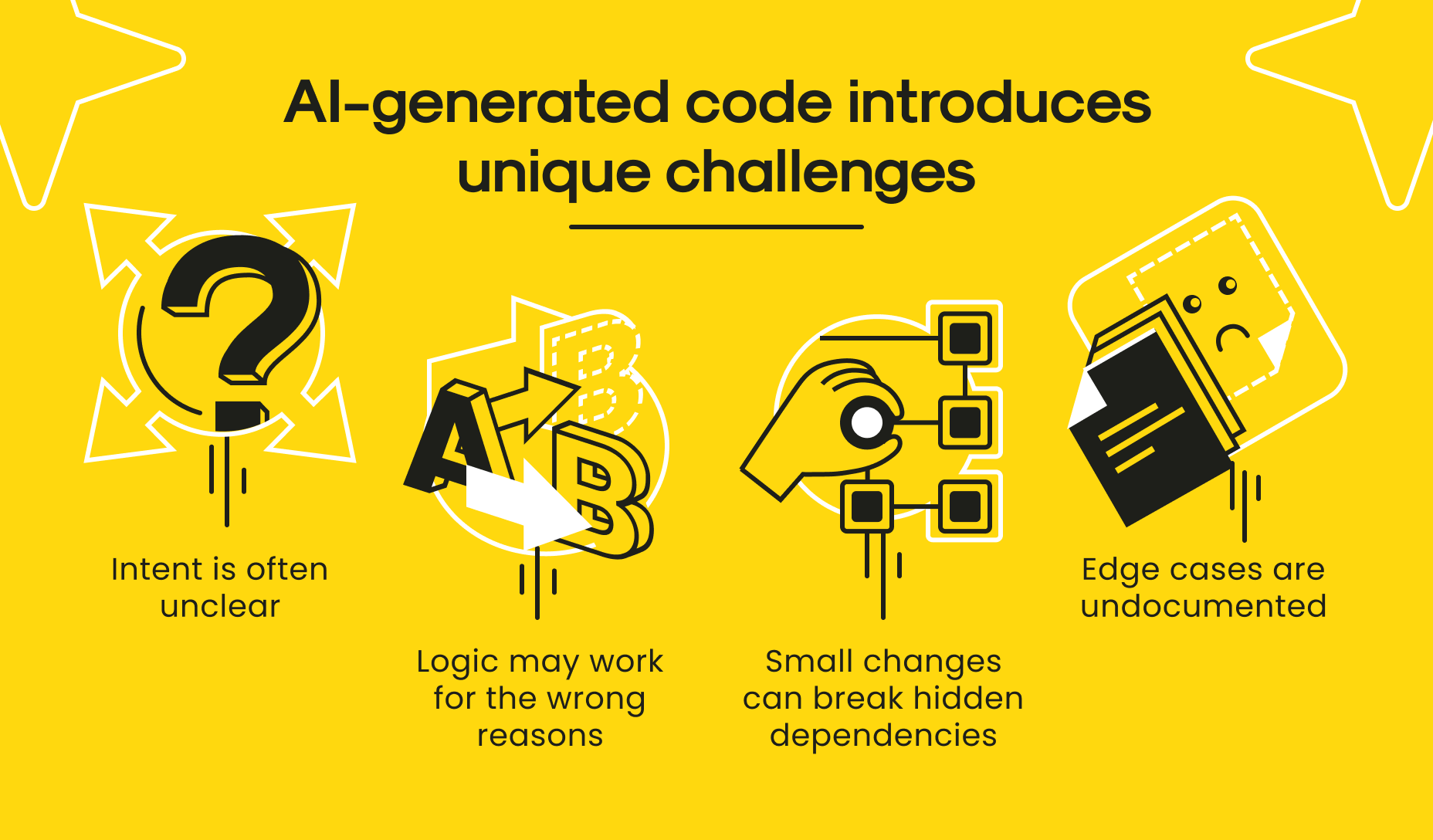
AI-generated code challenges
Developers frequently underestimate how long cleanup will take, especially if they didn’t generate the original code themselves. This is where many teams lose time trying to “just fix it quickly” and end up rewriting half the system under pressure.
Vibe coding tips and tricks
Here are a few practical principles that keep speed high without letting chaos creep in:
Lay a solid foundation first. Start with opinionated full-stack frameworks and mature UI kits (think tools like Wasp or Shadcn-admin) to cut boilerplate and narrow the playground in which the AI operates.
Set the rules of the game. Give the AI clear, explicit guidance through written conventions and rules. Define tech choices, naming patterns, and known traps instead of assuming its generic training will cover your edge cases.
Align before you build. Anchor the work around shared reference points, such as a PRD and a step-by-step implementation plan created together with the AI. This keeps intent clear and tasks well-scoped.
Build in vertical slices. Deliver features end-to-end in small but coherent chunks. Add complexity gradually rather than piling everything into one massive pass.
Document as you go. Use the AI to help capture decisions and feature behavior while you’re building, so context stays fresh for both human teammates and future AI prompts.
Continuously tune the process. Treat your rules, plans, and workflow as living assets. Revisit and refine them regularly, using the AI itself to critique what’s working and what isn’t.
Basically, it all boils down to having a solid plan. As one of the LinkedIn users put it: “I get the point, but honestly, the problem isn’t really AI coding at all. We had the exact same messy codebases long before any LLM existed. When someone gives vague requirements, no structure, no real plan, and expects magic, you get this kind of result, no matter who writes the code… junior dev, senior in a hurry, or AI”.
This way, these principles turn vibe coding from a reckless sprint into a controlled acceleration. You still move fast, but with guardrails that prevent the codebase from collapsing under its own weight. The result is a workflow where speed and sanity coexist, and where the “we’ll fix it later” practice doesn’t quietly become a long-term architectural debt.
When cleanup specialists make more sense
At the same time, when deadlines are tight or the project has already grown complex, working with code cleanup specialists is often faster and safer than fixing everything alone. Such specialists bring:
- Pattern recognition for common AI-code failures
- Experience refactoring without breaking behavior
- An outside perspective on architecture
- The ability to stabilize systems without over-engineering
To cut a long story short, instead of debating what might go wrong, they focus on what will go wrong and fix that first.
How we do it at Mitrix
Here at Mitrix, our engineers prioritize what matters first. User-facing issues, performance bottlenecks, and anything that could break under real traffic get fixed early. What’s next? Well, structural cleanup, naming consistency, and pattern normalization. Cosmetic or nice-to-have refactors wait until they stop being a distraction. Deadlines stay intact, and launches stay realistic.
Most importantly, we work as an extension of your team providing vibe coding cleanup services to businesses across industries. Our goal is to make the codebase understandable for the people who will own it next month, next year, and beyond. When AI helps you move fast, Mitrix helps you land safely and without paying the productivity tax twice. Contact us to discuss how we can fix your AI-generated project before launch.
Summing up
The idea of “vibe coding” only started circulating a year ago, yet it has quickly become one of the most discussed ways teams use large language models today. It’s triggered heated conversations about whether it actually improves code quality, and just as much unease about what this shift means for the future of software development, particularly for junior engineers finding their footing.
Anyway, vibe coding is not the issue here. In fact, it’s one of the most powerful accelerators modern teams have. But speed without cleanup creates fragility. The real skill is knowing when to switch modes:
- Generate fast
- Validate quickly
- Refactor deliberately
- Launch confidently
In fact, clean code is about control. And before launch, control is the difference between a product that survives contact with users and one that collapses under its own momentum.